Play Training
How to Migrate PPC Campaigns
Number of Guide Steps: 8
This guide will walk you through the process of migrating campaigns from Vision 4.0 into VX - this guide will focus on Pay-Per-Click Google campaigns.
For Pay-Per-Click Google campaigns, the VX management team will take over management of the campaign as soon as the migration is complete. Campaigns on Google will remain unchanged and you will not lose conversions or tracking.

- 1. Create a Client in VX
- 2. Create Migration Campaign
- 3. Add the Migrated Product
- 4. Edit Campaign Details
- 5. Complete Sold Order Details
- 6. Complete Final Sold Order Details
- 7. Submit to Billing
- 8. Ensure that Vision 4.0 Campaign is Set to End
Create a Client in VX.
Create a client if one doesn't already exist. Ensure all the details are accurate. If you need more information on client creation, refer to the Clients playbook.

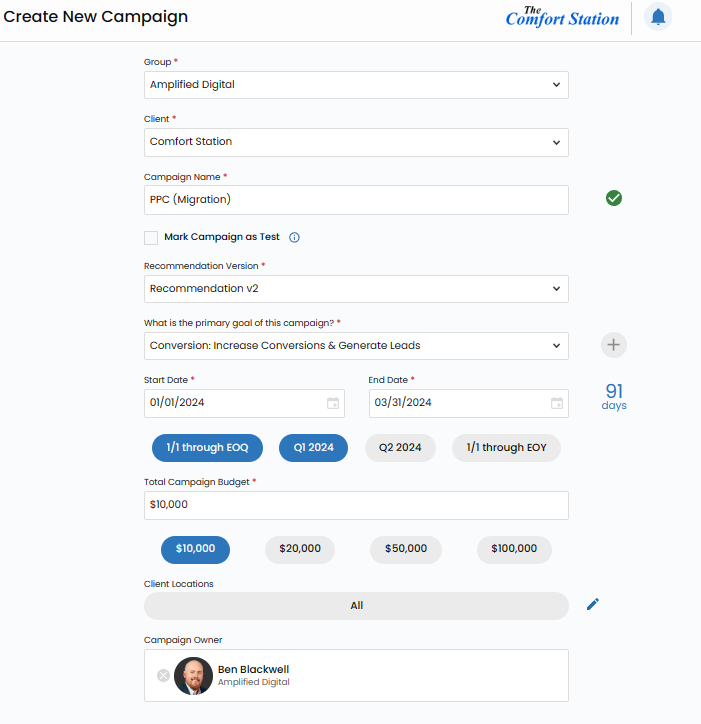
Create Migration Campaign.
Create a campaign with the words (Migration) in the title to make it clear you're migrating an already running campaign from Vision 4.0 Be sure that the details are correct. Start and end dates, and budget.
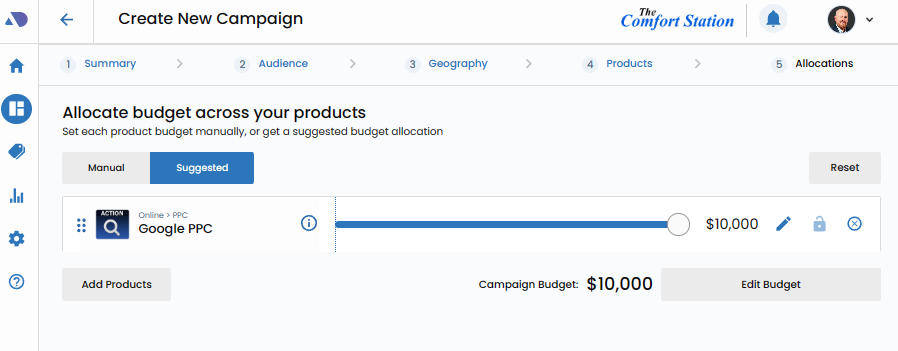
Add the Migrated Product.
Ensure that your migrated campaign has the correct products, and the correct budgets for each migrated tactic.
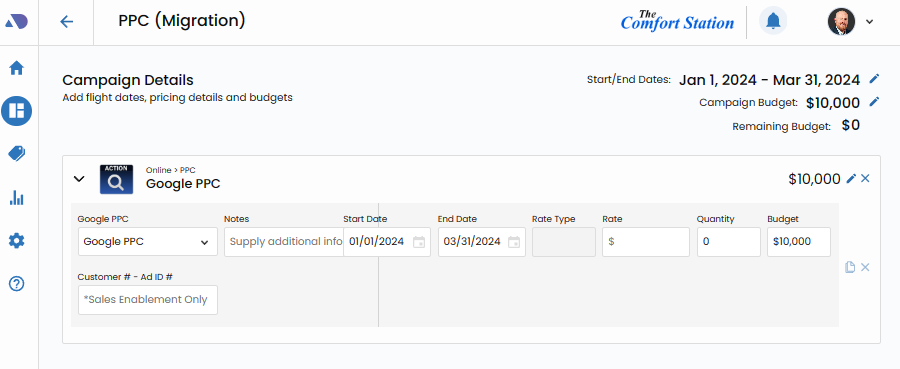
Edit Campaign Details.
Open the campaign details screen and ensure that all information is correct including start date, end date and budget.
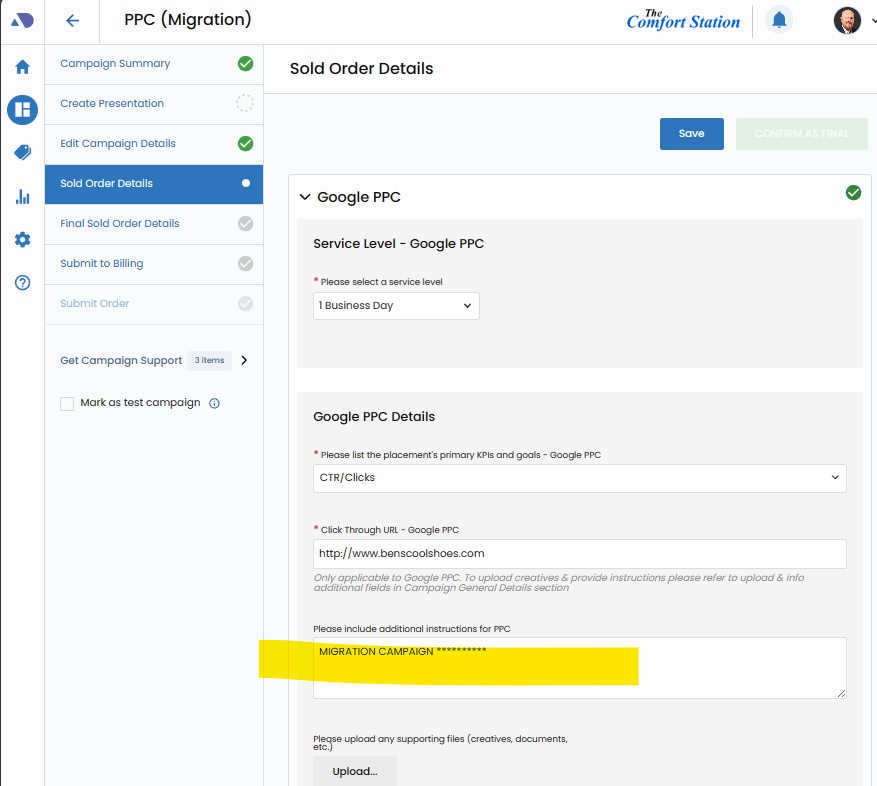
Complete Sold Order Details.
For Pay-Per-Click, the campaign will simply switch management teams, so the only information you need to provide is telling the team it's a migration.
Complete Final Sold Order Details.
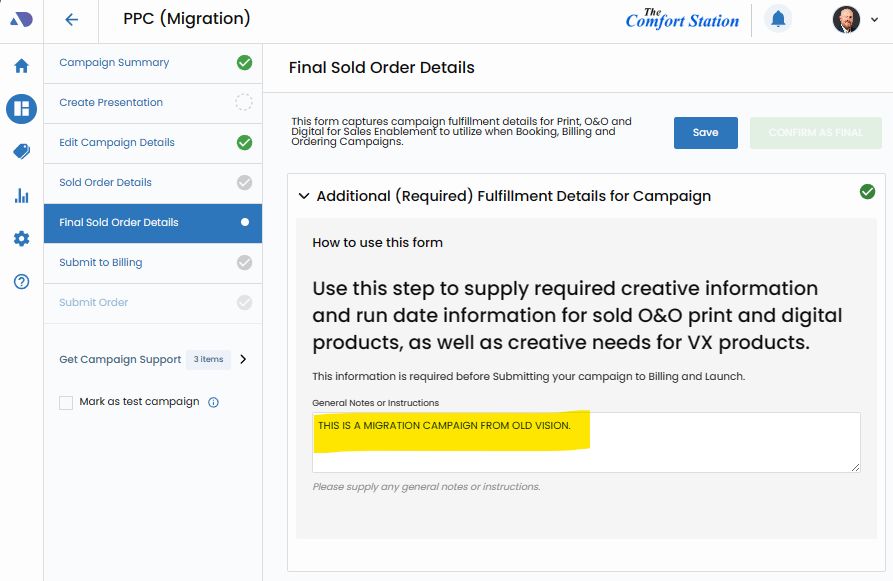
Complete the Final Sold Order details by alerting Sales Enablement that this is a migration campaign.
Submit to Billing.
Complete the Submit to Billing step to ensure that Sales Enablement receives the order for billing and launch in VX.

Ensure that Vision 4.0 Campaign is Set to End.
Once you receive confirmation that your VX campaign is scheduled to launch, ensure that the Vision 4.0 campaign has been scheduled to end on the migration launch date.