Play Training
Update Creative
Number of Guide Steps: 5
Updating creative elements within a campaign is a streamlined process in Vision VX, ensuring that your content remains dynamic and aligned with your campaign goals.

- 1. Navigate to Order Details
- 2. Select Relevant Product(s)
- 3. Click the Modify Button
- 4. Request Creative Changes via Notes
- 5. Click Submit
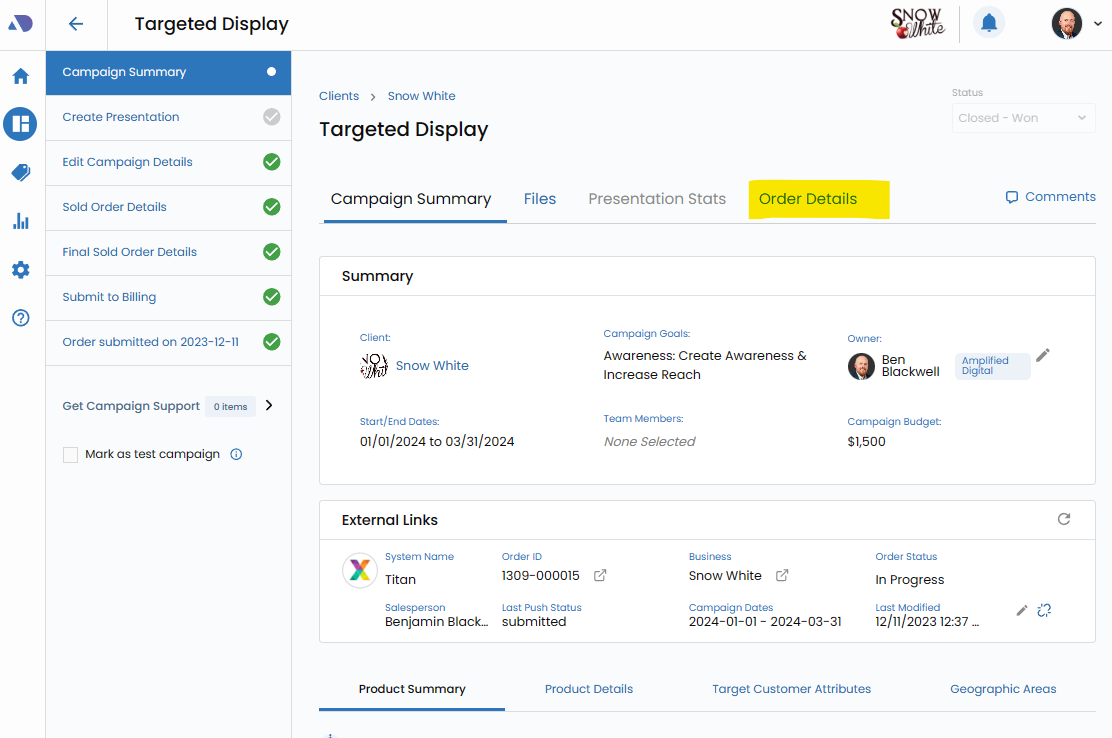
Navigate to Order Details.
Start by accessing the Order Details tab within Vision VX. This serves as the central hub for managing specific details associated with the campaign order.
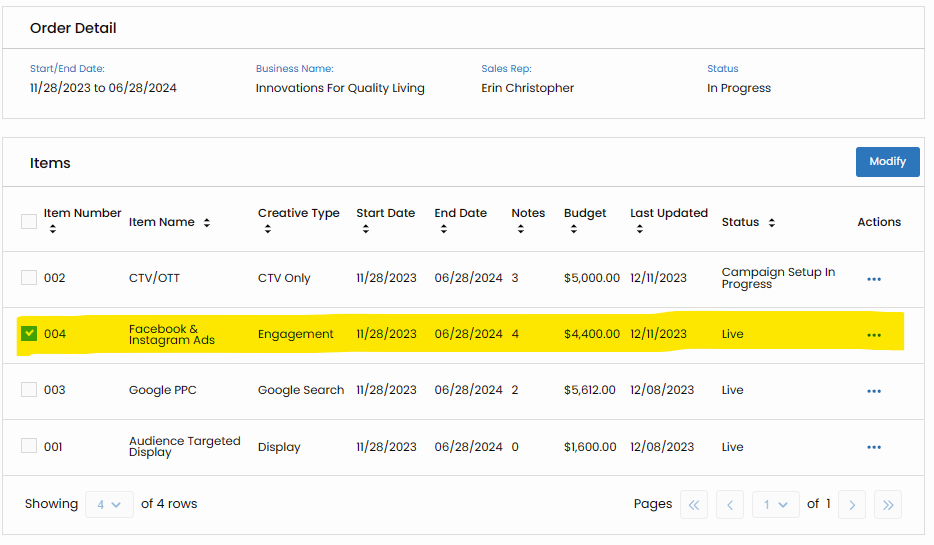
Select Relevant Product(s).
Check the box next to the product(s) for which you intend to make creative changes. This selection ensures that your updates are targeted to the specific elements within the campaign.
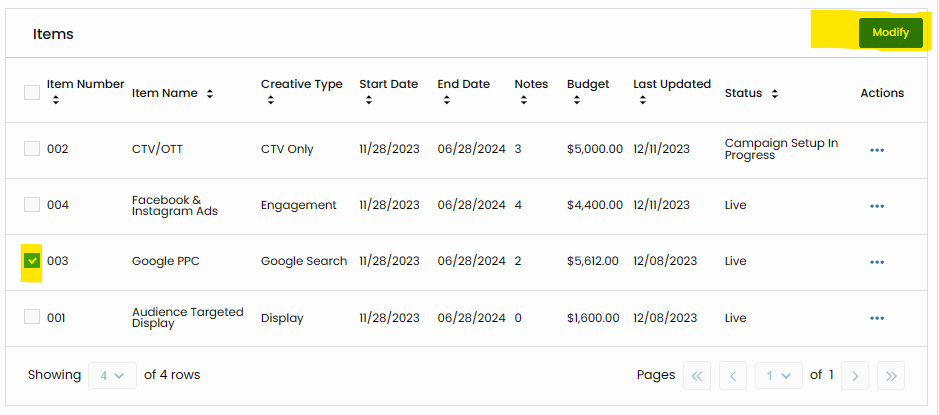
Click the Modify Button.
Once your product selection is made, click the "Modify" button. This action initiates the process of requesting modifications to the creative elements associated with the selected product(s).
Request Creative Changes via Notes.
Utilize the Notes feature to articulate the creative changes you seek. You can upload relevant materials directly or reference the Affinity X Portal Order # for clarity. Clearly outline your requirements to facilitate a smooth update process.
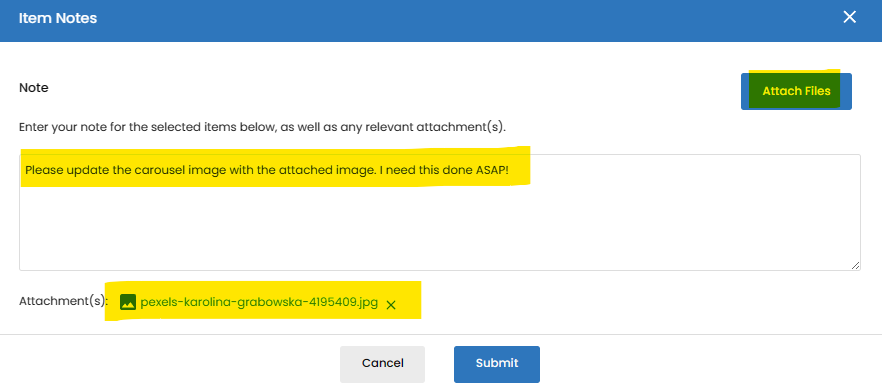
Click Submit.
Once your creative change requests are documented in the notes, click "Submit" to initiate the update process. This ensures that your requests are communicated to the relevant teams for implementation.