Play Training
View Order Fulfillment Status
Number of Guide Steps: 3
In Vision VX, the Order Fulfillment Status becomes a crucial feature, especially for campaigns poised for Titan VX fulfillment. This typically includes campaigns featuring Amplified Digital products, where fulfillment is seamlessly integrated into the Vision VX platform.

- 1. Click on Order Details Tab
- 2. View Order Status
- 3. Contact Fulfillment about Order or Product
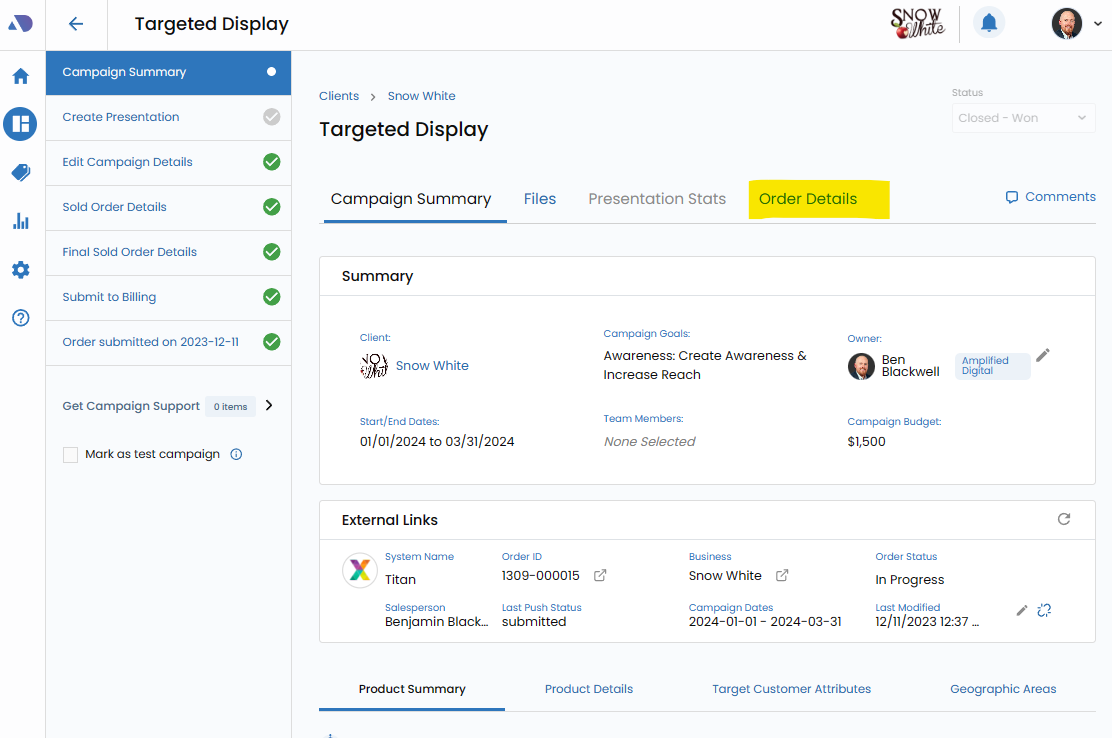
Click on Order Details Tab.
Within the Campaign Summary page, locate and click on the Order Details tab. This opens up a dedicated section providing comprehensive insights into the order's fulfillment status.
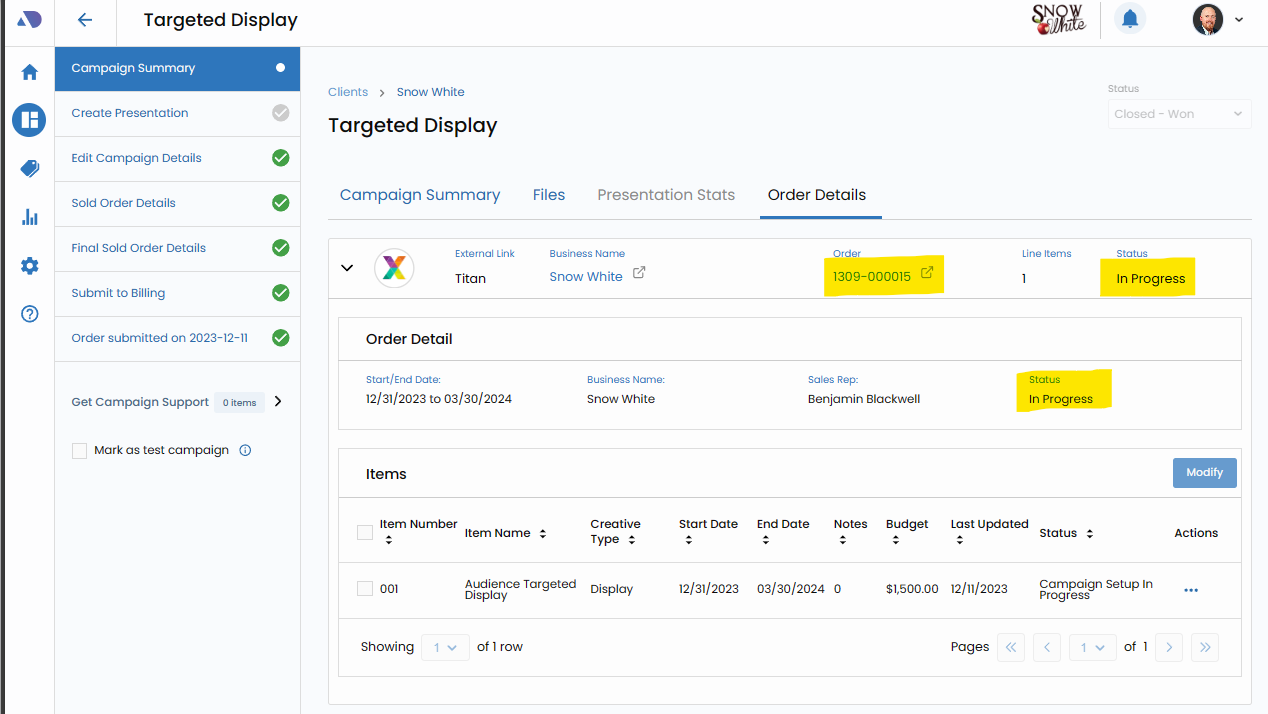
View Order Status.
At the top of the Order Details screen, prominently displayed, is the Order Status. This real-time indicator offers an immediate snapshot of the current status of the Titan VX order associated with the campaign.
Reference Order Statuses:
For a deeper understanding of the various Order Statuses and their implications, users can refer to the Order Status Introduction guide. This guide serves as a key reference point for decoding the intricacies of different statuses and their meanings.
Contact Fulfillment about Order or Product.
Should there be any queries or concerns regarding an order, users can proactively engage with the fulfillment process.
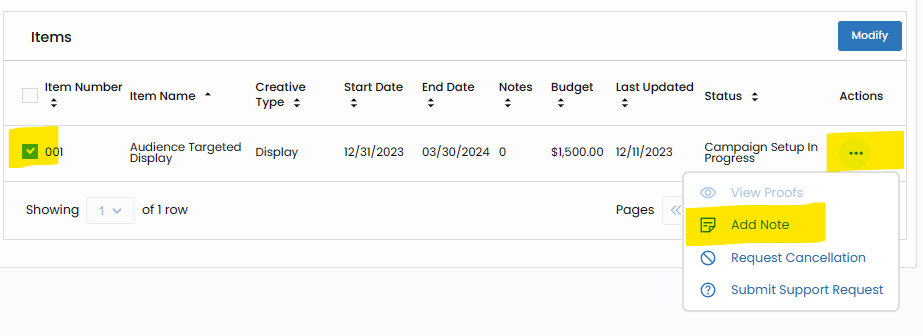
Navigate to the products in question within the Order Details screen, click on the respective products, access the actions menu represented by three dots, and select "Add Note."
This feature enables users to direct specific questions or notes to the campaign manager, seeking clarification or updates on the fulfillment process.
An alternative avenue for reaching out is through direct email communication. Users can send inquiries or requests to fulfillment@visionvx.com, ensuring that the email includes clear references to the Order and Client. This straightforward approach streamlines communication and facilitates a quick response from the fulfillment team.